How to Create a Database
Besides using the panel, you can also create a database directly from HeidiSQL. Make sure you have connected to the database first.
Method 1: Via the Menu (GUI)
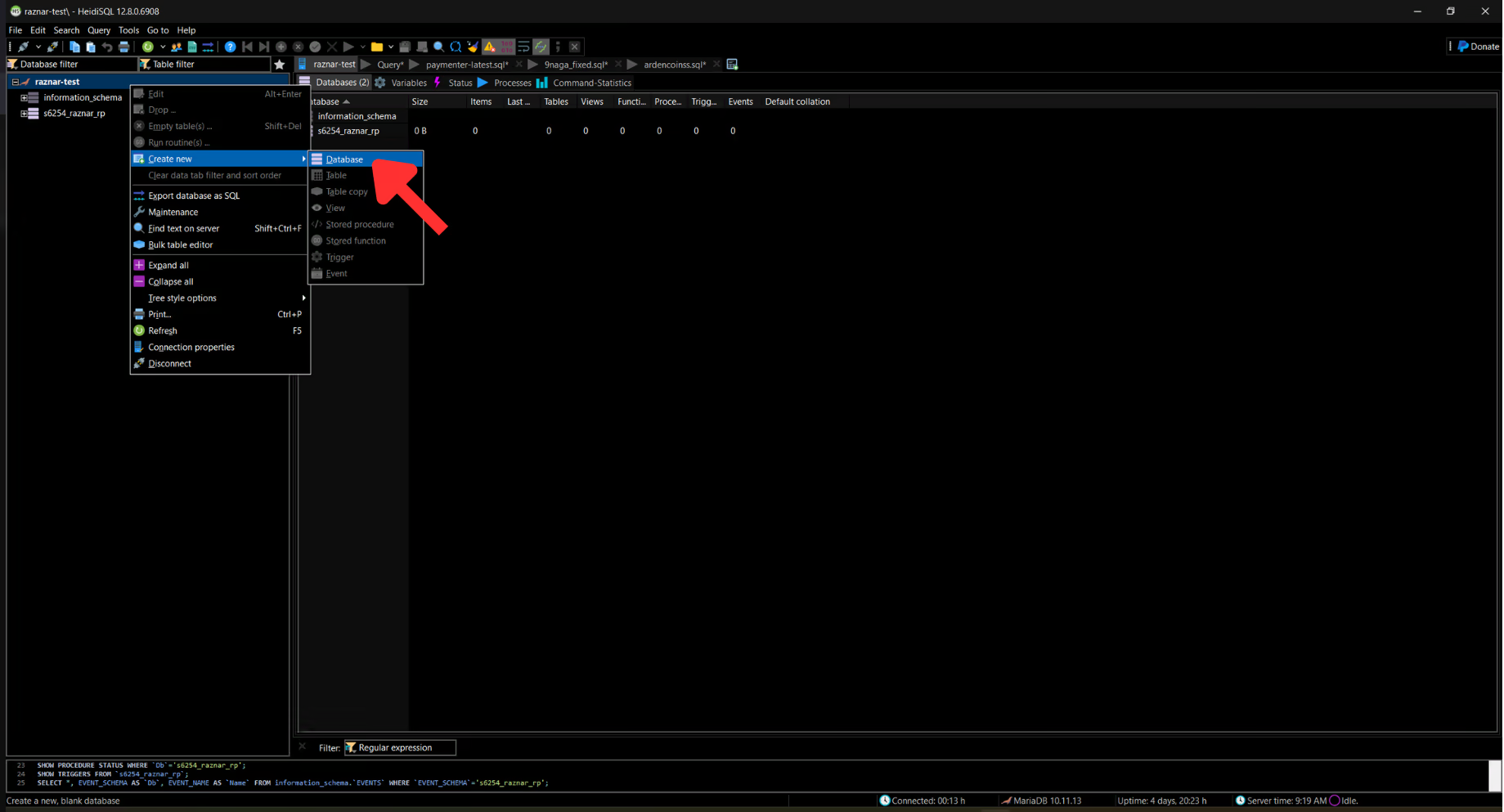
- In the connection list in the left panel, right-click on your session/server name.
- Select Create new → Database.
- Fill in:
- Database name: the database name (example:
db_toko). Only letters, numbers, and underscores (_). - Charset:
utf8mb4 - Collation:
utf8mb4_general_ci
- Database name: the database name (example:
- Click OK.
The new database will appear in the left panel and is ready to use.
Method 2: Via an SQL Query
- Open the Query tab.
- Run the following command:
CREATE DATABASE `db_toko`
    CHARACTER SET utf8mb4
    COLLATE utf8mb4_general_ci;
- Click Run (or press
F9).

tip
Use the utf8mb4 charset so the database can safely store emoji characters and various languages.