Introduction to Hyper Node
Hyper Node — also known as a Private Node — is a Pterodactyl node that is your own, running on a dedicated VPS, not a server shared with other users.
In other words, you get your own VPS with the Pterodactyl panel already installed on it, so you can immediately create, manage, and run game servers — for example a FiveM server — entirely on your own.
Think of a Hyper Node / Private Node as a "personal panel computer": you have resource limits (RAM, CPU, disk, and VPS) according to your package, and from there you are free to create as many servers as will fit.
Because it runs on its own VPS, the performance and resources of a Hyper Node are not shared with other customers. You also decide what you want to run inside it.
How Is It Different from Regular Hosting?
| Aspect | Game Hosting | Hyper Node (Private Node) |
|---|---|---|
| VPS ownership | Shared together | Your own VPS / dedicated |
| Node ownership | Managed by hosting | Yours |
| Creating servers | Requested from admin | Self-service from the panel |
| Number of servers | According to package | According to node limit |
| Subuser access | Per server | Per node |
| Resources | Shared together | Exclusive to your node |
Why Use a Hyper Node (Private Node)?
- Your own VPS — a Hyper Node runs on a dedicated VPS that is not shared with other users, so performance is more consistent.
- Full control — you can create servers at any time without waiting for an admin.
- Flexible — one node can host several servers at once (FiveM, and other supported games).
- Collaboration — you can add Subusers so other people can help manage it.
- Efficient — the node's resources are used only by your own servers.
Concepts You Need to Know
Before starting, understand the following terms:
- Node / Private Node — your VPS (Hyper Node) where all your servers run.
- Server — a game instance that you create inside the node.
- Nest & Egg — the "category" and "software" that determine the server type. For example: Nest FiveM with the egg FiveM / FXServer.
- Allocation — the IP and port pair used by the server so players can reach it.
- Resources — the allocation of memory (RAM), CPU, and disk for each server.
- Startup Variables — variables used when the server starts, for example the FiveM license key.
- Subuser — another account given access to your node.
How to Use It
The short flow:
- Access the Hyper Node. From the billing website, click Go to Panel. You will be logged in automatically (SSO) and redirected to the Hyper Node page (
/hyper-nodes/{id}). The full guide: How to Access a Hyper Node from Billing. - Make sure provisioning has finished. The Hyper Node is installed automatically by the system after you subscribe. The install / provisioning status can be seen on the Hyper Node page in the panel.
- Manage it through the Management sidebar:
- Servers — the list of servers and the button to create a new server.
- Subusers — manage other people's access to the node.
- Create a server for the game you want.
- Configure the server (port, license key, database, and more).
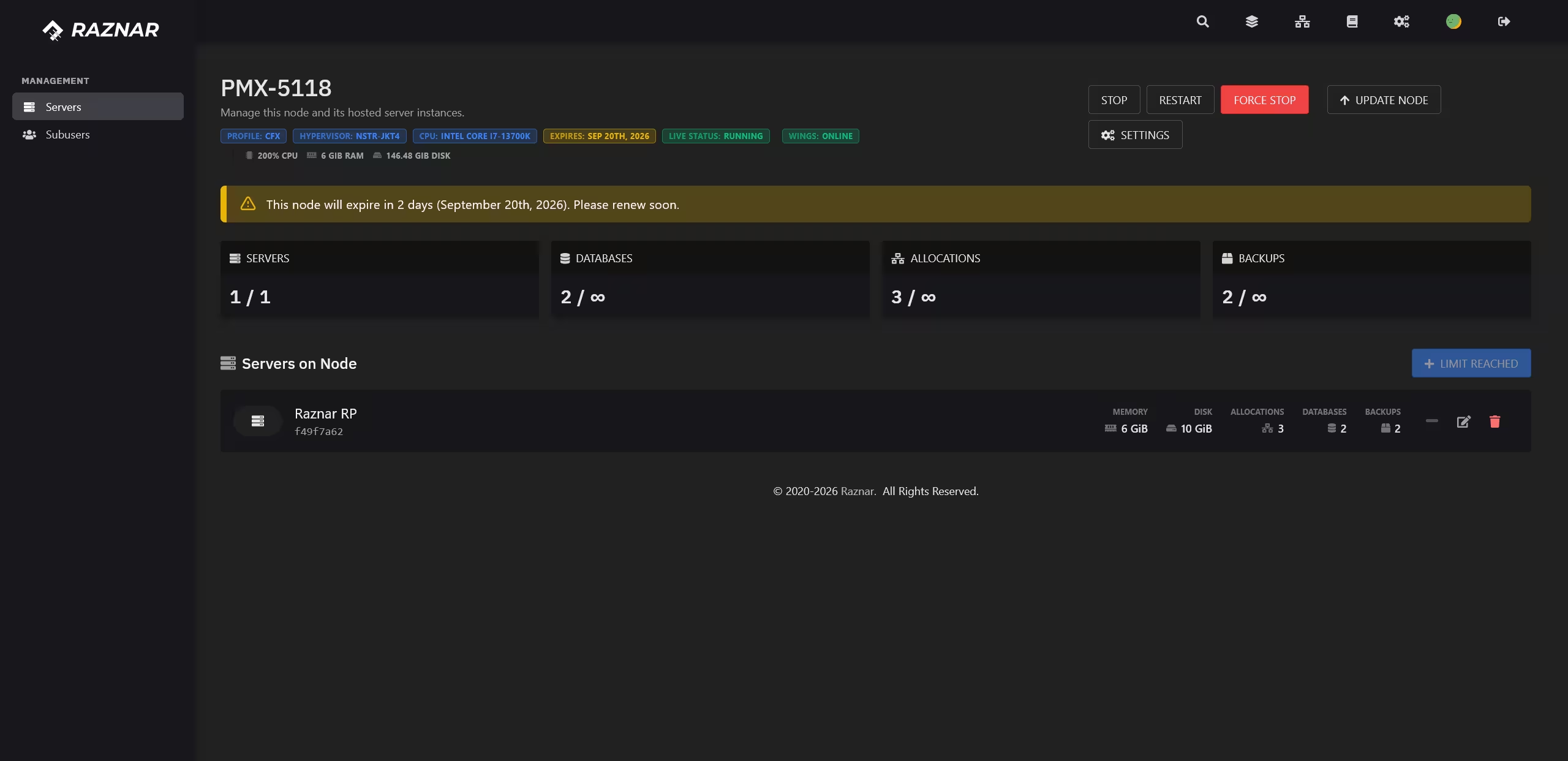
Don't know how to create a server inside a Hyper Node yet? Continue to the guide Creating a Server on a Hyper Node.
Things to Keep in Mind
- Node install / update — when a node is installed or updated, the service will pause for a while. Do not do this when the server is busy.
- Suspend / Unsuspend — a node can be suspended automatically (for example due to billing). When suspended, all servers inside it also stop. After unsuspending, the servers will become active again.
- Resource limits — each node has limits on RAM, CPU, disk, number of servers, databases, backups, and allocations. If it is full, you need to upgrade your package or reduce usage.
- Don't share access carelessly — use the Subusers feature with limited permissions instead of giving out the main account.

Next Steps
- Creating a Server on a Hyper Node — a guide to creating a server inside the node.
- New Server Setup (FiveM) — configuring port
30120, txAdmin40120, and the license key.