How to Access the Server
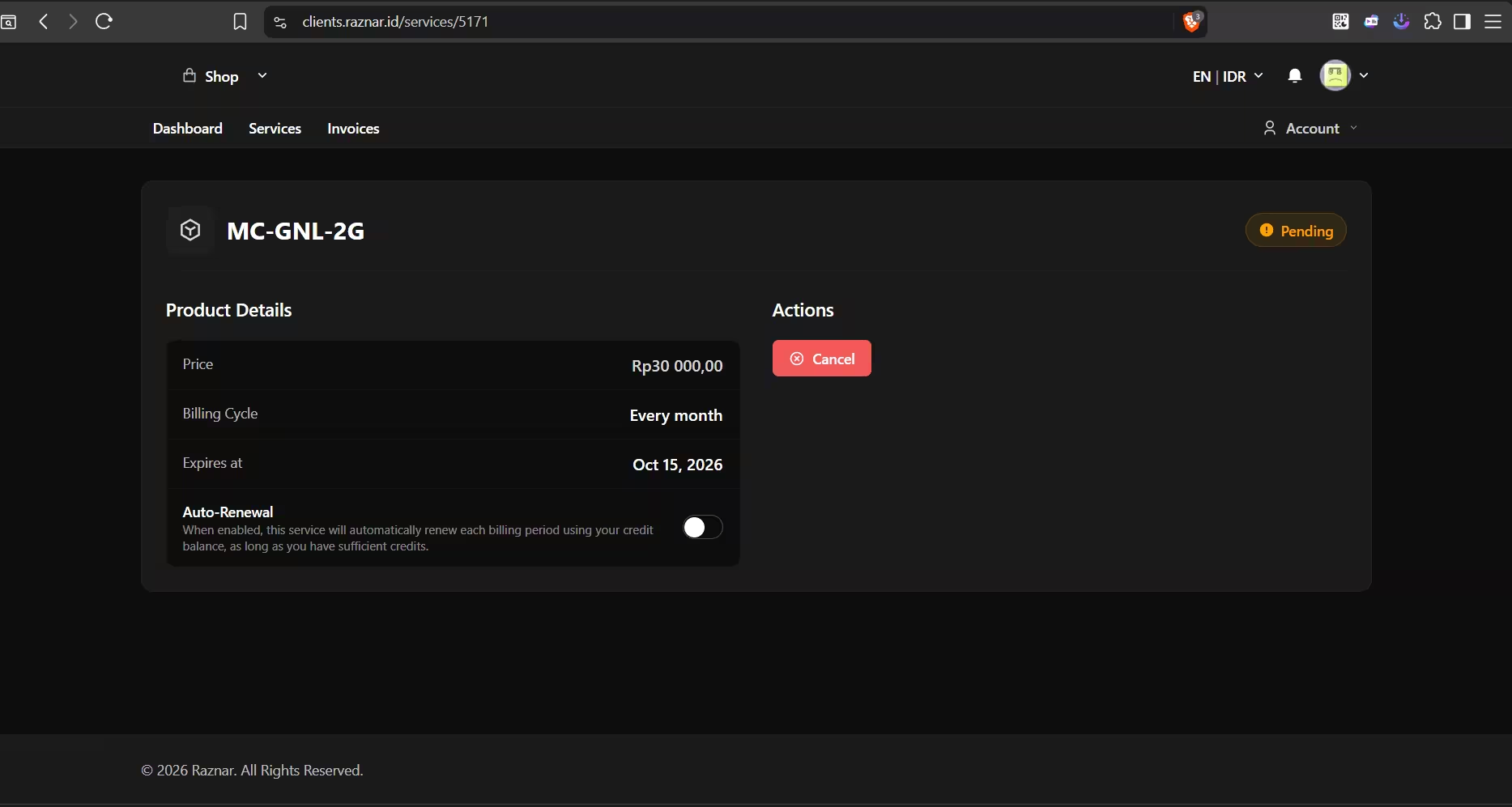
- After payment, the system will automatically process your server (Pending), it may take a while.
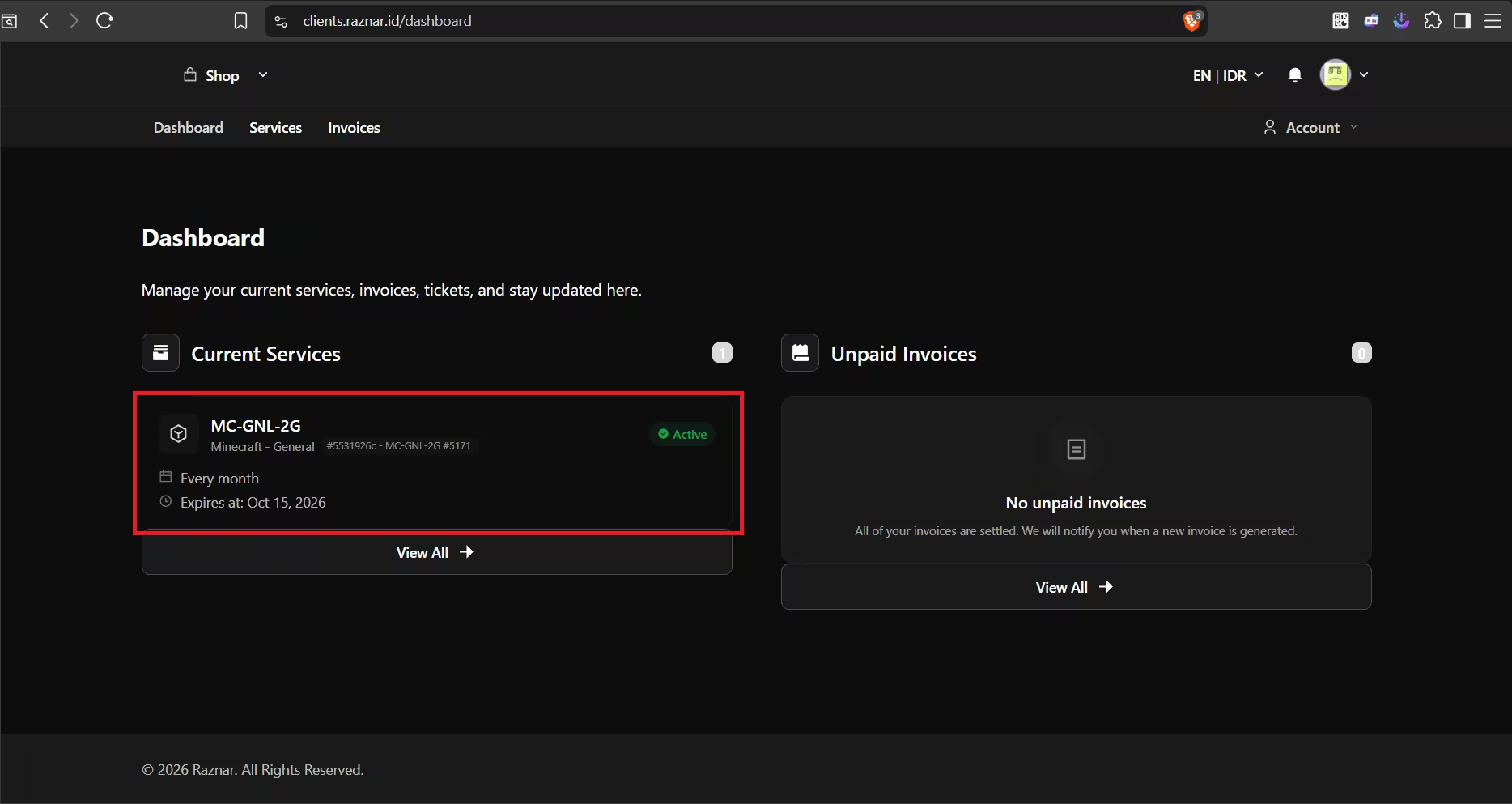
- After a while the server status will become Active, and you can click on the server.
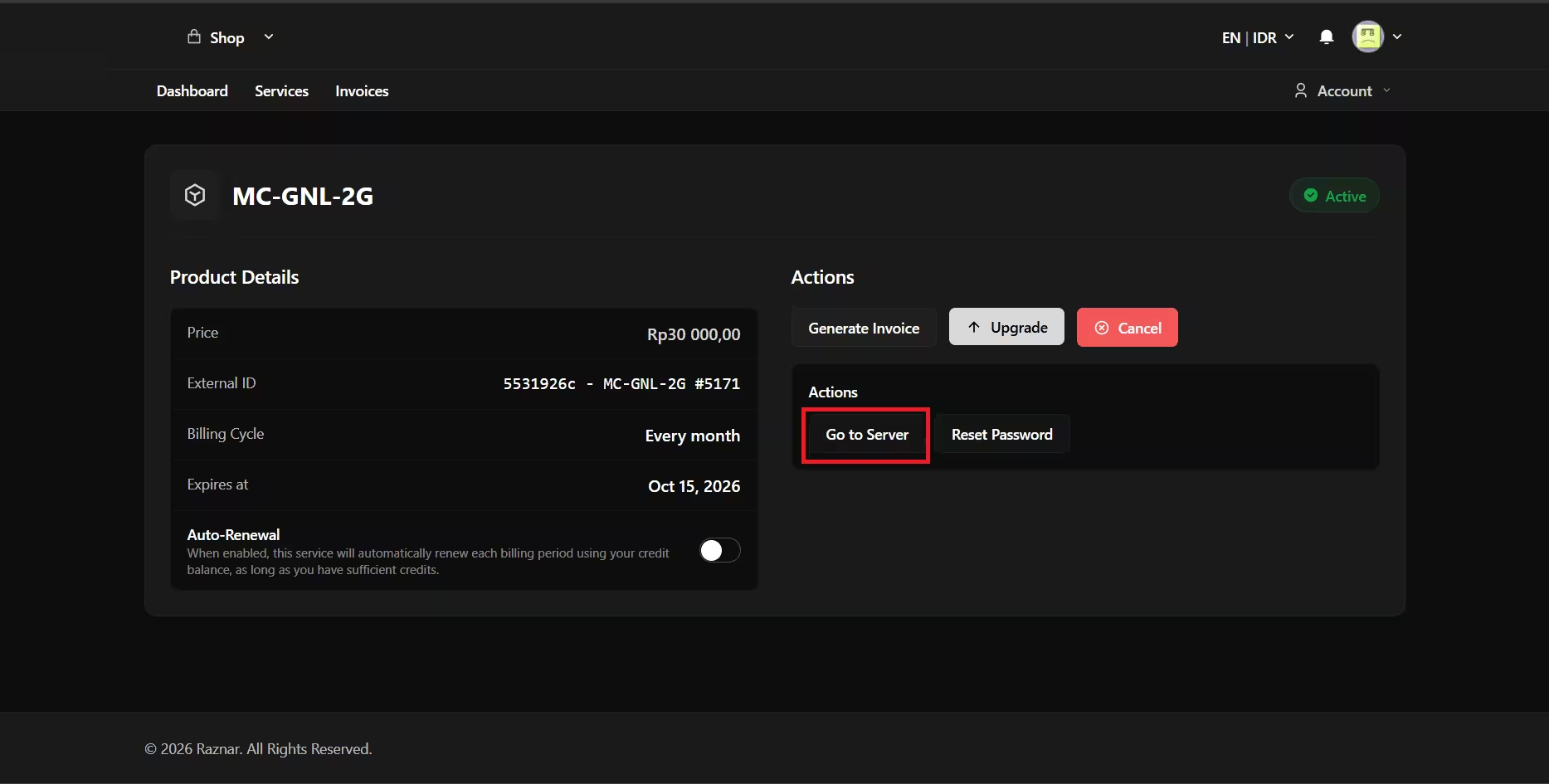
- There will be a "Go to Server" option, and you will be redirected to the panel link and logged in automatically.
note
If you are not logged in automatically, you can try creating a password first using Reset Password then log in with the same email and the new password.
- Congratulations, you have successfully accessed the panel.
How to Access the Server via Email
- After payment, the system will automatically process your server (Pending), it may take a while.
- After a while the server status will become Active, try checking your inbox for an email from Raznar sent to the email you registered with!
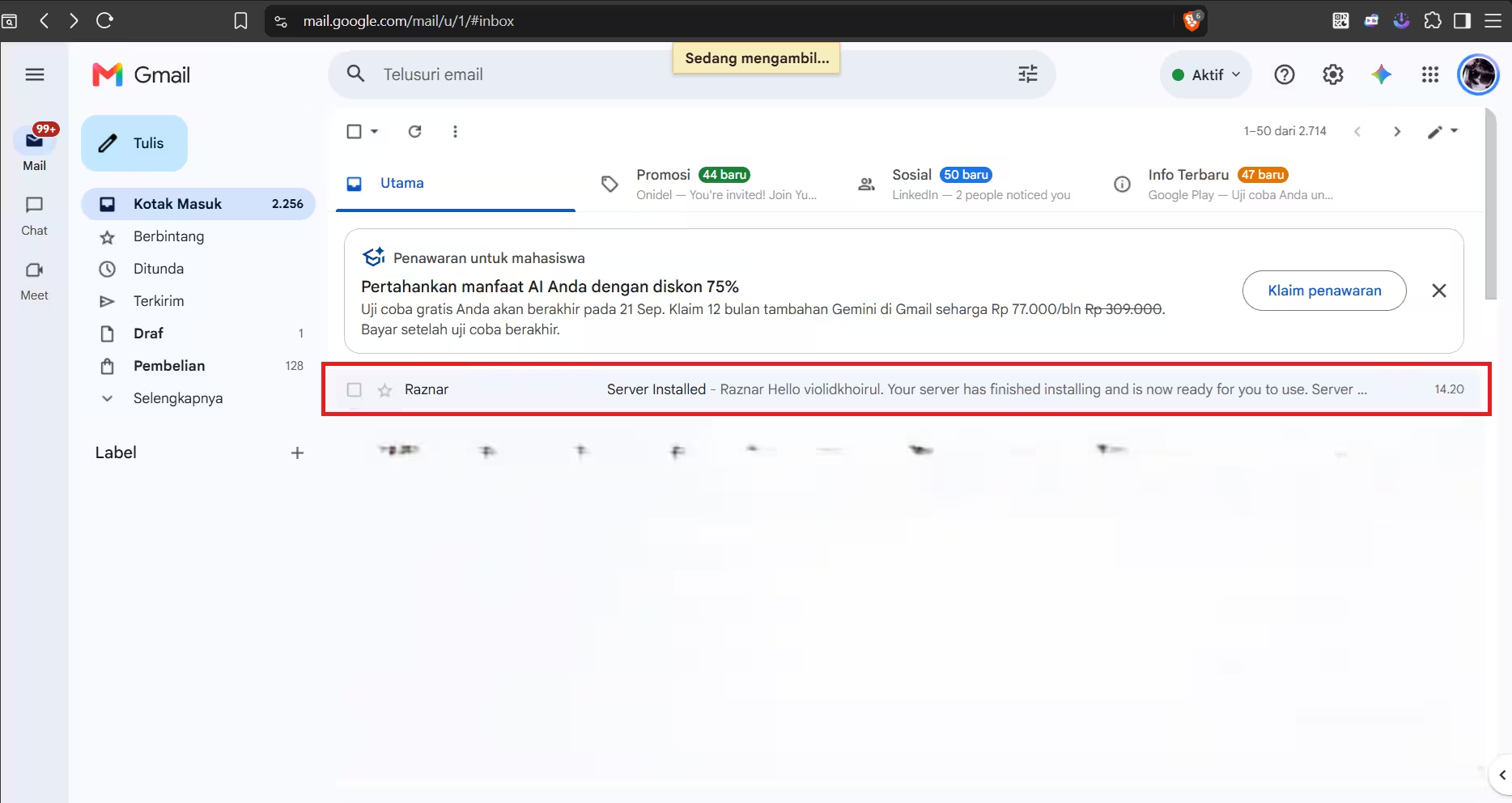
- Click on that email then click the Login and Begin Using option in the email.
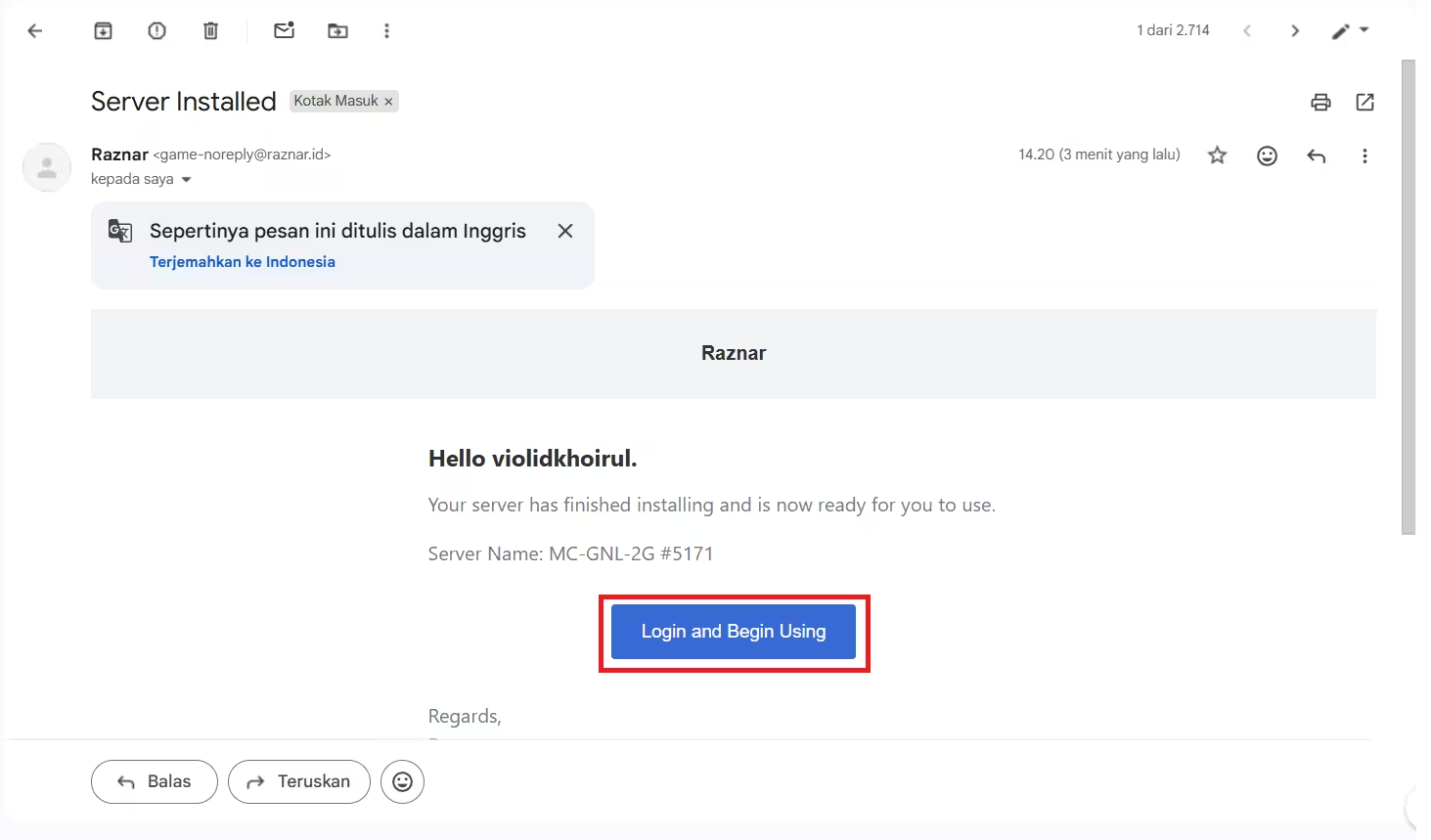
- You will automatically be redirected to the Panel and logged in.
note
If you are not logged in automatically, you can try creating a password first using Reset Password then log in with the same email and the new password.
- Congratulations, you have successfully accessed the panel.