Installing Mods on a Server
This guide explains how to install a modpack on a Minecraft server; here the example uses Modpack Prominence™ II: Hasturian Era.
Prerequisites
- The server is already using software that supports mods (Fabric/Forge/etc)
- The server specifications must meet the minimum specs for that modpack (you can find this out by googling first)
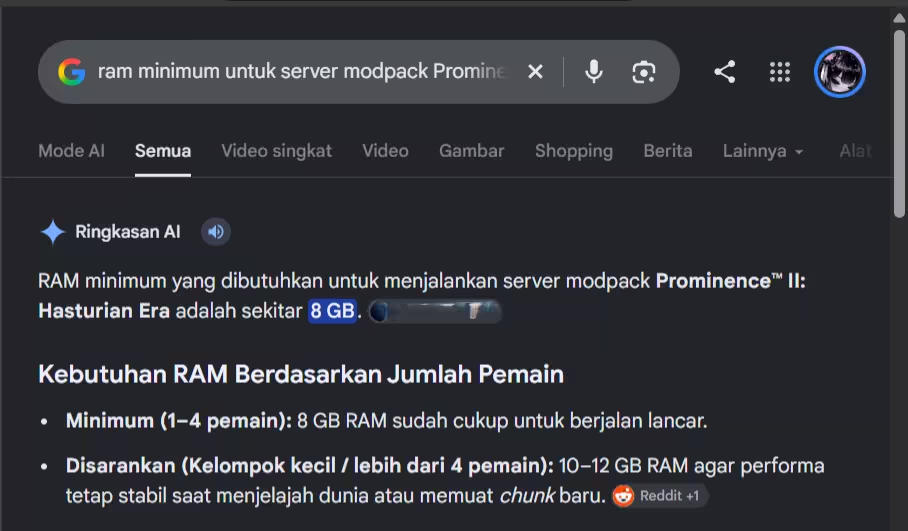
Installation
Before continuing, make sure your server's files or data are clean; you can use the backup feature. That way, when installing the modpack the server is in a clean (new) state. Okay, let's continue...
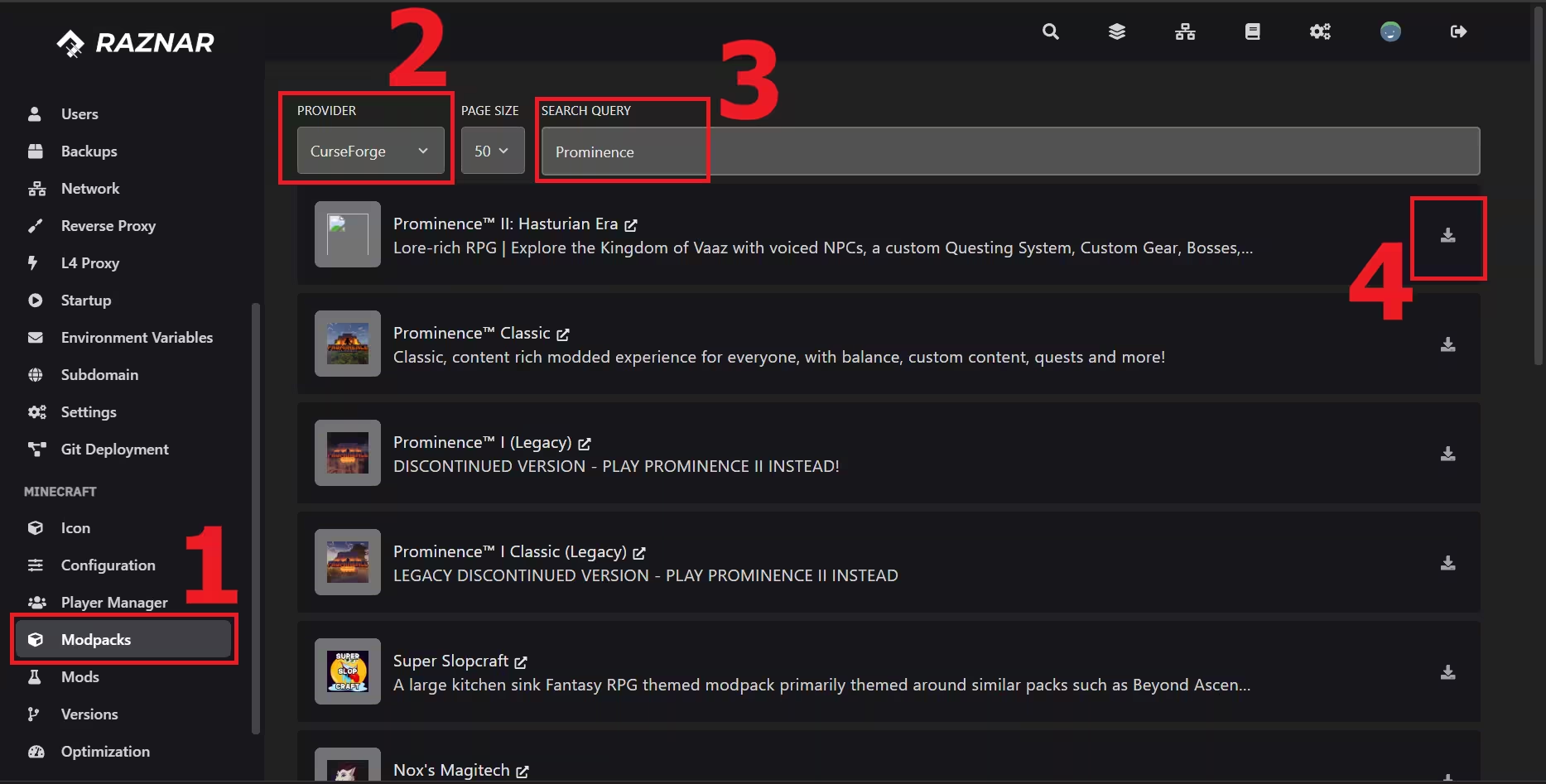
- Open the Raznar Hosting Panel then scroll down and there will be a Modpack option
- Choose the Provider that matches the source of the modpack; since the modpack we're using as an example uses Forge, choose forge.
- You can use the query or search box to find the modpack you want to install.
- click install
HERE IS AN EXAMPLE
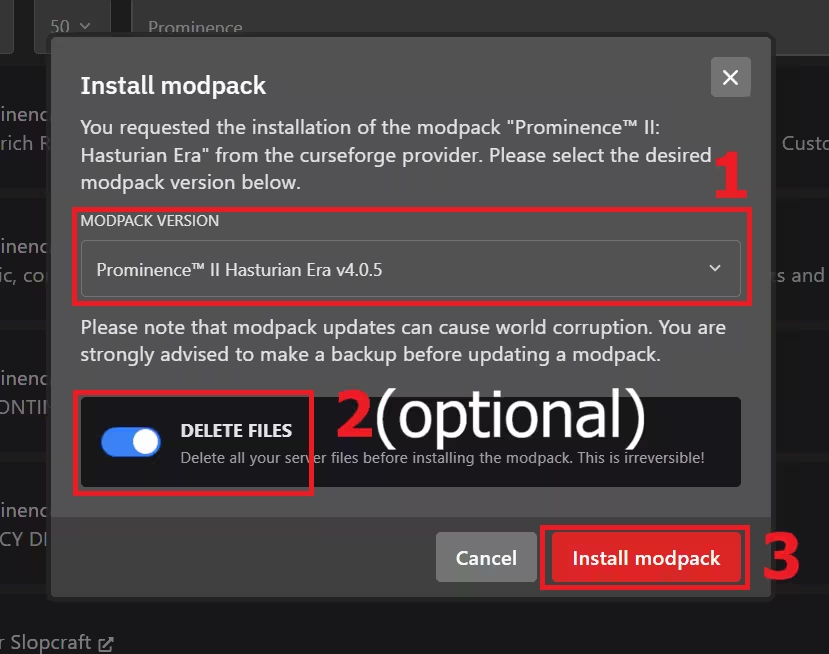
UNCHECK or turn off DELETE FILES if you want to keep your data on the server, so it won't be deleted.
Running the Server
Once the installation is complete, you can try running it by pressing the Run button near the Console (▶️)
If the server fails to run, you can change the Java version. For Minecraft version 1.21.x and above you can use java 21 or java 25, and for version 1.20.x and below you can use java 21. Or if the modpack version is below 1.19 you can use java 17 or below.
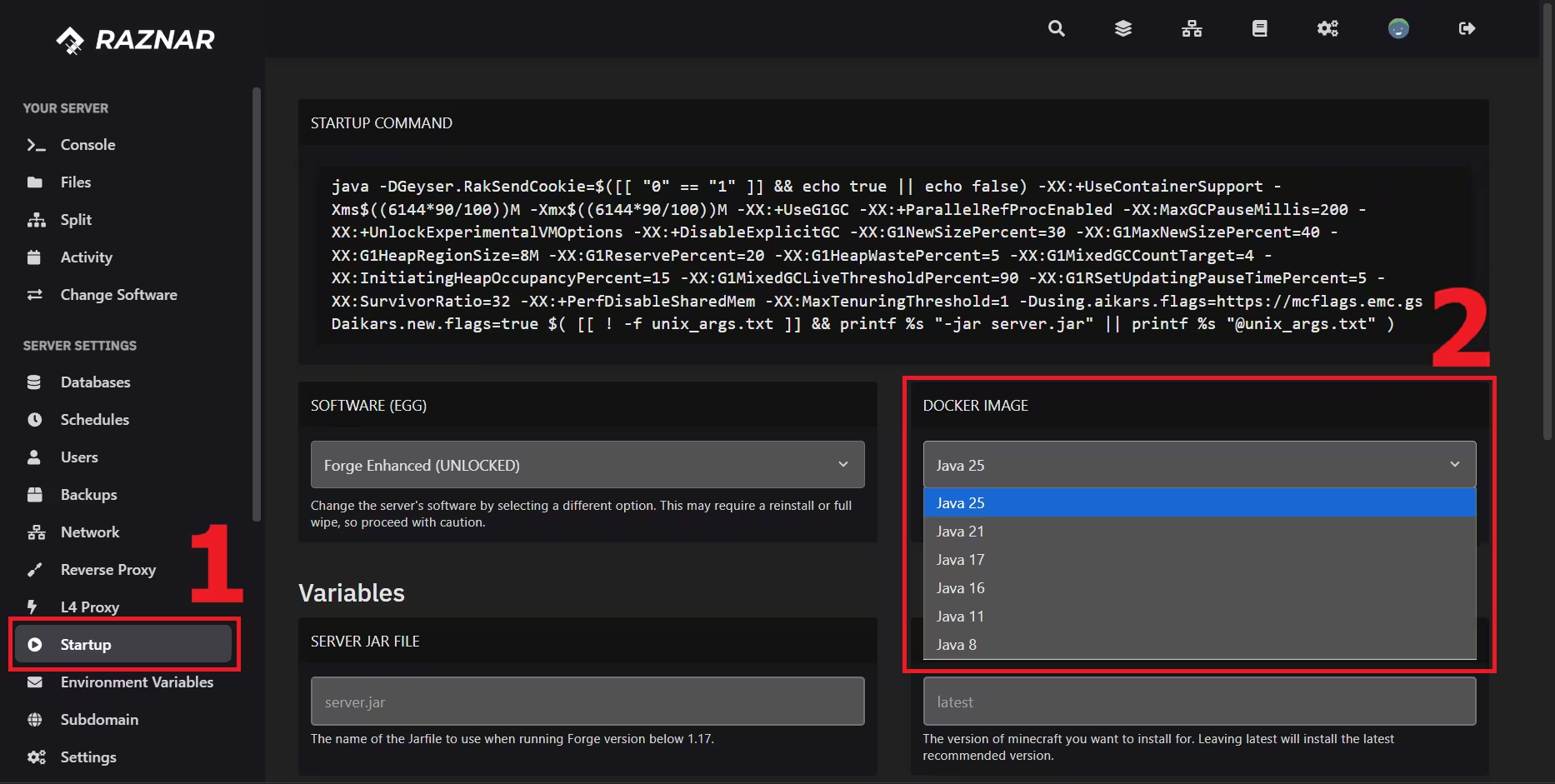
Then you can try running the server again