MTR on Windows
On Windows, MTR is run through the WinMTR application.
Steps
- Download WinMTR.
- Run the application (no installation needed).
- Enter the destination address, for example:
1.1.1.1(Cloudflare DNS)8.8.8.8(Google DNS)- The server IP provided by the technician (example:
103.42.xx.xx)
- Click Start to begin the test.
- Let it run for around 100–200 packets (1–2 minutes) so the results are more accurate.
- Click Stop, then choose Export Text to save the results.
- Send the results to support technicians for analysis.
Example Output
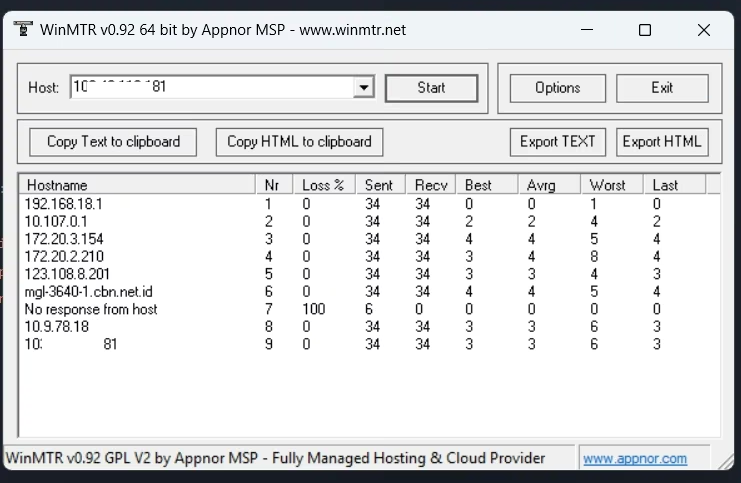
The explanation for each column is in How to Use MTR.